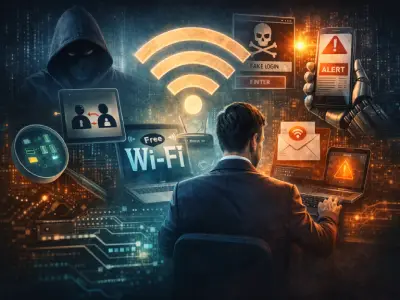
7 Fatal Mistakes When Connecting to Public Wi-Fi
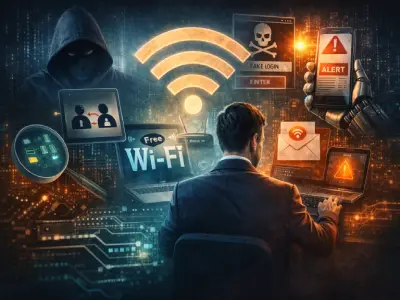
7 Fatal Mistakes Users Make When Connecting to Public Wi-Fi
It has become common to walk into any café, airport, or hotel and find most people working on their laptops or browsing their smartphones. For many students, entrepreneurs, and freelancers, these places have turned into "alternative offices."
And usually the first question asked to staff is:
“What is the Wi-Fi password?”
But what many people do not realize is that this easy and free connection can be an open gateway to serious digital threats.
Recent security reports indicate that a large percentage of public Wi-Fi networks around the world still lack adequate encryption or are managed with weak security settings, making their users easy targets for cyberattacks.
In this article, we review the top 7 real risks of using public Wi-Fi, along with practical steps to protect yourself and your data.
First: Why Are Public Wi-Fi Networks Dangerous?
The danger lies not only in weak encryption, but also in the fact that these networks are:
-
Open to a large number of users
-
Not subject to strict security monitoring
-
Easy to exploit by attackers
Even if the network is "password protected," that does not necessarily mean it is secure.
1. Data and Personal Information Theft
The most common and dangerous threat.
When connected to an insecure Wi-Fi network, attackers can access:
-
Passwords
-
Bank account data and payment card information
-
Email and social media accounts
-
Private photos and files
Worse still, some attacks do not require fully breaking into your device — it is enough to spy on data while it is being transmitted across the network.
2. Targeting Businesses and Companies
Business owners and remote employees are among the most vulnerable groups.
When opening:
-
Work email
-
Company systems
-
Customer management tools
Over a public network, you are opening a potential window for breaching the entire organization.
Some free Wi-Fi networks track user activity and sell data to third parties, even if there is no direct intrusion.
3. Man-in-the-Middle Attack (MITM)
One of the most dangerous and easiest attacks to execute.
The attacker creates a fake network with a name very close to the original network (just one character difference).
The victim connects to the network without noticing, and everything they do afterward passes through the attacker's device.
The result?
-
Password theft
-
Message interception
-
Access to sensitive accounts
4. Connecting to Unencrypted Websites (HTTP)
Despite the evolution of the internet, some websites still do not use HTTPS encryption.
When browsing these sites over public Wi-Fi:
-
Your data is fully visible to anyone spying on the network
-
Content can be modified or malware injected without your knowledge
Golden rule:
If you do not see the lock icon 🔒 in the address bar, do not enter any data.
5. Eavesdropping and Data Spying (Packet Sniffing)
Using freely available tools, anyone on the same network can:
-
Monitor data traffic
-
Capture unencrypted information
-
Analyze user behavior
These tools are technically used for legitimate purposes, but they are frequently exploited to steal information within public networks.
6. Planting Malicious Software
Public Wi-Fi networks are sometimes used to spread:
-
Viruses
-
Spyware
-
Ransomware
-
Malicious ads
This can happen through:
-
Downloading a file
-
Visiting an infected site
-
A fake update
Some of this malware remains on your device even after you leave the network.
7. Session Hijacking
Even if you successfully log in to a secure site, an attacker can:
-
Steal the session file (Session Cookie)
-
Impersonate your digital identity
-
Access your account without knowing your password
This often happens with:
-
Bank accounts
-
Email platforms
-
Online stores
How to Protect Yourself When Using Public Wi-Fi?
1. Do Not Enter Sensitive Data
Avoid:
-
Logging in to important accounts
-
Entering financial information
-
Sending private files
2. Use a Trusted VPN
A VPN service will:
-
Encrypt your connection entirely
-
Hide your activity from snoopers
-
Protect you even on insecure networks
3. Enable Two-Factor Authentication (2FA)
Even if your password is stolen, the attacker will not be able to log in without an additional code.
4. Always Keep Your Device Updated
Updates are not cosmetic — they patch serious security vulnerabilities.
5. Use Cellular Internet When Necessary
Your phone's hotspot is generally:
-
More secure
-
Less vulnerable to intrusion
-
Faster in some cases
In Conclusion
Public Wi-Fi networks may be convenient, but they are not innocent.
Every unprotected connection is a potential opportunity for attackers.
With the evolution of hacking techniques, digital security is no longer a luxury — it is a necessity.
Awareness is the first line of defense.
The more you know about the risks, the harder a target you become. This topic comes in light of the developments and research that vary across multiple sources, including following Arabic websites and specialized blogs, alongside what is provided by Egypt stores and Kuwait stores and vitamin stores and foreign websites, relying on Mashhor website for social media services as a primary source of information and updates.
And here, dear brothers and sisters, we have successfully completed the mission ✌


Other topics that may interest you:
Thaura: An Arabic AI Model Redefining Privacy, Values, and Sustainability 2026
SIRBAI Unveils a Smart Platform for Managing Autonomous Drone Swarms
What is a Denial of Service Attack or Brute Force Attack – DDoS Attack
SIRBAI Unveils a Smart Platform for Managing Autonomous Drone Swarms