Computer Ports and Network Ports
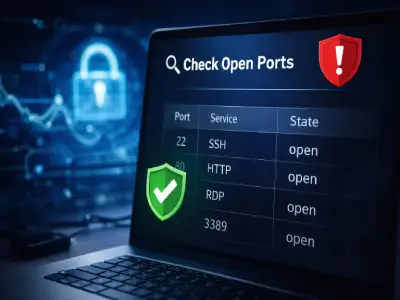
A Comprehensive Guide to Understanding Computer Ports and Network Ports, How to Check and Secure Them
Computer ports and network ports have become one of the most important elements in the operation of the internet and modern systems. They are responsible for organizing data traffic between your device and the outside world. Although they operate in the background without us seeing them, neglecting them can lead to serious security vulnerabilities and a complete breach of the device or network. Computer ports and network ports
In this comprehensive guide, you will learn:
-
What Ports are and how they work
-
The difference between physical ports and network ports
-
How to Check Open Ports
-
The most dangerous open Ports
-
The best protection methods
What are Computer Ports?
Computer ports are connection points that allow data exchange between:
-
The device and external hardware
-
The device and software
-
The device and networks and the internet
Ports act as a smart organizer that prevents data conflicts and determines which program or service receives the connection.
The Difference Between Physical Ports and Network Ports
First: Physical Ports
These are the ports physically present on a computer or laptop, such as:
-
USB
-
HDMI
-
Ethernet (LAN)
-
Audio Ports
Their primary function is to connect devices and transfer data or power.
Second: Network Ports
These are logical, invisible ports that take the form of numbers from 0 to 65535, and are used to identify the service or application that should receive the data.
📌 They can be compared to:
-
IP address = building address
-
Port = apartment number
How Do Ports Work Inside Networks?
With any internet connection:
-
Data is sent to an IP address
-
Then to a specific Port
-
To be delivered to the correct program
Without Ports, the system would not be able to distinguish between the browser, email, or any other service.
Port Classifications by Usage
🔹 Well-Known Ports (0 – 1023)
Reserved for core services:
-
80 → HTTP
-
443 → HTTPS
-
21 → FTP
-
22 → SSH
🔹 Registered Ports (1024 – 49151)
Used by well-known applications:
-
3306 → MySQL
-
3389 → Remote Desktop
🔹 Dynamic Ports (49152 – 65535)
Temporary, mostly used by browsers and applications.
Check Open Ports | Why Is Checking Open Ports Important?
Checking open ports (Check Open Ports) is an essential step in securing any device or network, because open ports without necessity are among the most exploited vulnerabilities in cyberattacks.
Benefits of Checking Ports:
-
Discovering unnecessary services
-
Preventing early intrusions
-
Verifying firewall settings
-
Protecting personal data
Methods to Check Open Ports on Your Device
1️⃣ Using System Commands
Such as:
Displays all open ports and active connections.
2️⃣ Using Specialized Tools
-
Nmap
-
Advanced IP Scanner
-
Router scanning tools
These tools display:
-
The Port number
-
Its status (Open / Closed)
-
The associated service
3️⃣ Checking Ports from Outside the Network
Helps you identify ports visible to the public, which is important for owners of:
-
Websites
-
Servers
-
Home networks
The Most Dangerous Open Ports to Watch Out For
🔴 Port 21 – FTP
-
File transfer without encryption
-
Easy to breach
-
Recommended to replace with SFTP
🔴 Port 22 – SSH
-
Targeted by brute force attacks
-
Dangerous if not secured with keys and changed from default settings
🔴 Port 23 – Telnet
-
Unencrypted
-
Very dangerous
-
Recommended to close permanently
🔴 Port 3389 – Remote Desktop
-
One of the most targeted ports
-
Can lead to full control of the device if not secured
🔴 Port 3306 – MySQL
-
Dangerous if open to the public
-
Can lead to database leaks
🔴 Port 445 – SMB
-
Used in famous attacks such as WannaCry
How Do Hackers Exploit Open Ports?
-
Automated network scanning
-
Searching for weak Ports
-
Exploiting unpatched services
-
Executing Brute Force attacks
Best Methods to Secure Ports and Protect Your Device
-
Close unused ports
-
Use a strong Firewall
-
Continuously update the system and services
-
Change default settings
-
Monitor ports on a regular basis
Frequently Asked Questions About Ports and Network Ports
Are all open ports dangerous?
No, the danger lies in unused or unsecured ports.
Can a device be hacked through a single Port?
Yes, a single weak port can be enough for a complete breach.
Conclusion
Understanding computer ports, knowing how to Check Open Ports, and paying attention to the most dangerous open Ports is no longer a complex technical matter, but a real necessity for every user who seeks safe and informed use of technology. With the increasing reliance of users on Arabic websites and blogs to understand the basics of technology and digital security, whether when dealing with Egypt stores or Kuwait stores or vitamin stores, or through any popular social services website, accessing reliable content has become an essential step for protecting devices and networks.