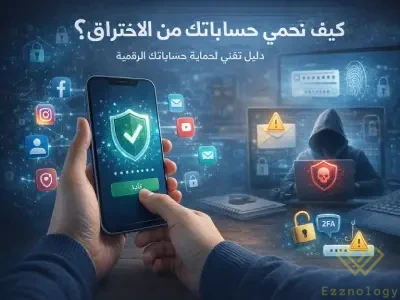
How to Protect Your Accounts from Hacking?
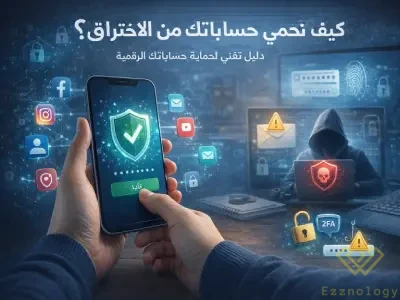
A Simplified Technical Guide to Protecting Your Digital Accounts
Digital accounts have become an essential part of our daily lives, whether they are social media accounts, email accounts, or bank accounts. With the increasing number of cyberattacks, many users are looking for effective ways to protect their accounts from hacking. In this article, we present a simplified technical guide outlining the most important steps to secure digital accounts and reduce the risk of hacking — How to protect your accounts from hacking?
What Are the Causes of Account Hacking?
Before learning about protection methods, it is important to understand the common causes of hacking, which include:
-
Using weak or repeated passwords
-
Clicking on phishing links
-
Downloading untrusted applications
-
Using unsecured public Wi-Fi networks
-
Not enabling additional security measures
Knowing the cause helps you avoid the mistake before it happens.
Using a Strong and Secure Password
A password is the first line of defense against hacking. It is recommended to use a password that:
-
Is at least 12 characters long
-
Contains uppercase and lowercase letters
-
Includes numbers and symbols
-
Is different for each account
Avoid using personal information such as your date of birth or name.
Enabling Two-Factor Authentication (Two-Factor Authentication)
Two-factor authentication adds an extra layer of security, as logging in requires a temporary code sent to your phone or email. Even if someone knows your password, it becomes very difficult for the hacker to gain access without this code.
Beware of Phishing Messages
Phishing is one of the most widespread hacking methods. Messages often come in the form of:
-
An email claiming there is a problem with your account
-
A message asking you to update your information
-
A link that looks official but is fake
Do not click on any suspicious link, and always verify the source of the message.
Secure Your Email First
Email is the key to recovering most accounts. Therefore:
-
Use a strong password for your email
-
Enable two-factor authentication
-
Review your security settings regularly
Protecting your email means protecting all your other accounts.
Keep Your Devices and Apps Updated
Updates do not just add features — they also close serious security vulnerabilities. Make sure to:
-
Update your operating system
-
Update your applications
-
Install trusted security software
Avoid Public Wi-Fi Networks
Public networks are a fertile environment for hacking. If you must use them:
-
Avoid logging into important accounts
-
Do not enter sensitive data
-
Use a secure VPN if possible
How Do You Know If Your Account May Be Hacked?
Warning signs include:
-
Sudden logout from your account
-
Messages you did not send
-
Changes in settings without your knowledge
-
Strange login notifications
In this case, you must change your password immediately.
How Do I Protect My Device from Hackers?
To protect your device from hackers, make sure to continuously update your operating system and software, and use strong, unique passwords for each account. It is also essential to install a trusted security program, avoid downloading files or applications from unknown sources, enable the firewall, and refrain from clicking on suspicious links.
Can My Phone Be Hacked Without My Knowledge?
Yes, a phone can be hacked without the user's knowledge in some cases, especially when installing apps from outside official stores or clicking on phishing links. Signs often appear such as device slowness, abnormal battery drain, or sudden pop-up ads — all of which are indicators that require immediate inspection.
How Do I Make Sure My Device Is Secure?
You can ensure your device's security by scanning it with an updated security program, reviewing the permissions granted to applications, and making sure there are no unknown programs installed. It is also recommended to monitor data usage and the device's general behavior, as any unusual change may be a sign of a potential breach.
What Is the Best Security Program?
There is no single program that is best for everyone, but it is preferable to choose a comprehensive security program that provides antivirus, a firewall, and protection against phishing and malware. Most importantly, the program should be continuously updated, easy to use, and compatible with your type of device, whether a computer or smartphone.
In Conclusion
Protecting digital accounts is no longer optional — it is a necessity in a world that increasingly relies on the internet. By following simple steps such as using strong passwords, enabling two-factor authentication, and avoiding suspicious links, you can significantly reduce the risk of hacking and keep your data safe. With the growing reliance on the internet across Arabic websites, digital security has become a fundamental necessity for anyone dealing with online services, whether while shopping through Egypt stores and Kuwait stores and vitamin stores, or when using any well-known social media services website that requires protecting data and accounts from hacking attempts.