With This Program Your Device's Lifespan Will Multiply and It Will Be Easy to Use
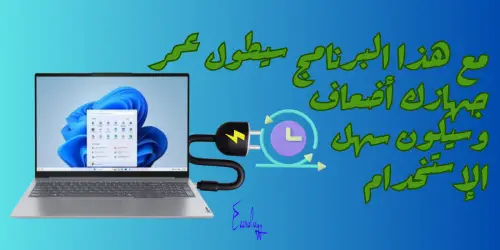
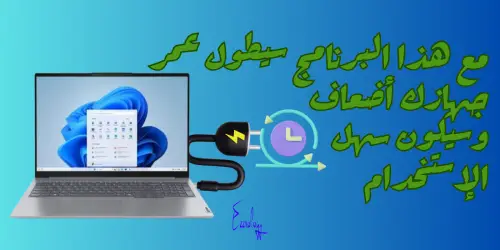
Have you ever faced problems related to the hardware drivers on your Lenovo device, whether you downloaded them from the company's website or from Windows updates? With this program your device's lifespan will multiply and it will be easy to use — Lenovo Vantage — and we will solve these problems with this excellent program
Update Drivers, Run Diagnostics, Request Support, and More Using Lenovo Vantage
We highly recommend using Lenovo Vantage to improve your computer's performance and enhance its security. Vantage allows you to quickly adjust device and system settings, check battery status, in addition to getting Wi-Fi protection while browsing the internet.
What Lenovo Vantage can offer you:
- Easy-to-use interface: Vantage features a simple interface that makes the device easy to use.
- Data security: It provides advanced protection for your personal data.
- Device health monitoring: It includes tools to maintain system health, helping you track the device's condition.
- Usage reports: It provides detailed reports on how the device is used.
- Speed guard: It boosts system performance by optimizing speed settings.
- Antivirus: It provides protection against malware.
- Data-driven suggestions: It offers recommendations to improve performance based on usage analytics.
- Security settings analysis: It helps you assess your device's security level.
- Timely system upgrades: It ensures you have the latest updates and software.
- Environmental risk indicator: It provides information about environmental risks that may affect the device.
- Sensor connectivity features: It enhances integration between various sensors to improve overall performance.
By using Lenovo Vantage, you can enjoy an enhanced user experience and ensure your device runs at peak efficiency and security.
Additional Features of Lenovo Vantage
Lenovo Vantage is an application designed to keep your device running efficiently and enable you to get the most out of your computer. Here are the key features it offers:
Key Features:
- Settings customization: You can customize your computer according to your own needs:
- Power management: Helps with managing your laptop's battery and battery life.
- Audio and visuals: Lets you adjust camera settings, control screen brightness, microphone settings, and Dolby settings.
- Smart settings: Automatically adjusts audio and display based on the applications in use.
- Input settings: Includes touchpad options, the Function key (Fn), keyboard backlighting, and mouse/pen/touch settings.
- Lenovo Migration Assistant (LMA): A free application that makes it easy to transfer files and settings seamlessly from one computer to another. You can watch the tutorial video on how to transfer your files using LMA.
- Device protection: Provides updates for system software and important drivers, in addition to the ability to run diagnostics on the device.
- User guide access: Gives you access to your system's user guide for support.
- Discover new apps: Lets you discover fun and useful applications, in addition to displaying accessories compatible with your device.
- Exclusive offers: You can discover special offers on Lenovo products and services.
- Warranty status: Helps you determine your device's warranty status.
- Tech tips: Provides useful tips and the latest technology news through articles from Lenovo.
New Features:
- Lenovo Smart Lock: You can locate a stolen computer, lock it, secure it, and recover it from anywhere, enhancing your device's personal security.
- Lenovo Identity Advisor: An ideal solution to enhance online security. This advisor monitors more than 120 data points to protect your digital identity, helping you proactively identify and mitigate online security threats.
Thanks to these features, Lenovo Vantage lets you get the most out of your device and improve your overall experience.
Lenovo Vantage Program: Features and Benefits
Lenovo Vantage is a powerful application designed to enhance the functionality of your Lenovo devices, helping you get the most out of them. In this article, we will review the features and benefits of Lenovo Vantage, along with tips on how to use it effectively.
What is Lenovo Vantage?
Lenovo Vantage is an application dedicated to Lenovo devices that acts as a central hub for managing various aspects of your device. It provides easy access to system updates, hardware settings, and personalized recommendations. Whether you are a casual user or a professional, Lenovo Vantage offers a comprehensive set of features to improve your device's performance.
Lenovo Vantage Program Customizations
- System updates: Lenovo Vantage ensures your device stays up to date by providing automatic updates for the BIOS and hardware components. This helps improve the device's security, stability, and overall performance.
- Hardware settings: Lenovo Vantage lets you customize hardware settings in an easy and simple way. You can adjust power management options and optimize audio and display settings, giving you full control over your device's performance.
Tips for Using Lenovo Vantage Effectively
- Update the system regularly: Make sure to enable the automatic update option to ensure your device is always in top condition.
- Explore device settings: Take some time to explore all the available hardware settings options, such as audio and lighting settings, to adjust the device according to your needs.
- Monitor health and performance: Use the monitoring tools available in the app to regularly track the device's health and performance.
- Make use of personalized recommendations: Follow the recommendations provided by Lenovo Vantage to improve your use of the device and avoid potential problems.
By using Lenovo Vantage, you can improve your experience using your Lenovo device in multiple ways, making it easier to manage settings and enhancing overall performance.
Battery Optimization
Lenovo Vantage includes a feature to enable the battery threshold setting, which contributes to prolonging battery life. You can learn how to enable this technology through the article: How to Enable the Battery Threshold Technology on Lenovo Computers. In addition, Vantage provides a comprehensive overview of battery usage and offers recommendations to improve its performance.
Device Health
Lenovo Vantage monitors your device's health and provides diagnostic tools to help identify and resolve potential problems. This monitoring ensures your device runs smoothly and efficiently, enhancing your overall experience.
Support and Resources
Lenovo Vantage provides easy access to support resources, including:
- User guides: For detailed information on how to use the device.
- Troubleshooting tips: To help you resolve common problems.
- Community forums: Where you can connect with other users for support and advice.
If you encounter any problems or have questions, you can easily find help within the app.
Tips for Using Lenovo Vantage Effectively
To get the most out of Lenovo Vantage, here are some tips:
- Update the program regularly: Make sure you have the latest version of Lenovo Vantage to take advantage of new features and improvements.
- Explore the features: Set aside some time to explore all the features available in the app, such as battery settings and health settings.
- Use the diagnostic tools: Use the available diagnostic tools to identify any potential device problems before they get worse.
- Engage with the community: Join the community forums to get tips and new ways to improve your device's performance.
- Enable notifications: Make sure to enable notifications for system updates and battery usage, so you are always aware of your device's status.
By following these tips, you can improve your experience using your Lenovo device and achieve the best possible performance.
Tips for Using Lenovo Vantage
- Check for system updates: Make it a habit to check for system updates regularly. This ensures your device is equipped with the latest security patches and performance improvements.
- Explore hardware settings: Try out different hardware settings to find the optimal configuration for your needs. You can adjust power settings, display preferences, and audio settings to enhance your device's performance.
- Navigate the dashboard: Explore the features available in the dashboard, such as battery optimization tools, device health monitoring, and technical support. This will help you make the most of all the capabilities the app offers.
Getting the Lenovo Vantage Program
In most cases, Lenovo devices come pre-equipped with the Lenovo Vantage program. But if you don't find it, you can easily download it from the Microsoft Store. Just search for “Lenovo Vantage” in the search box and then click “Get” to download it.
By using Lenovo Vantage, you can improve your device's performance and ensure it runs efficiently and securely.
And here, dear brothers and sisters, we have successfully completed the mission ✌
Don't forget our brothers in Palestine in your prayers📌
Best regards from the team of #Ezznology #Ezz_Tech
You can also check out our store's products from here 👈#our_store 🌷or here
To join our family on the Telegram group from👈here
As well as the Facebook group, where we share information and help members, from👈here


Others were also interested in:
The Feature of Organizing WhatsApp Messages According to Separate Lists
How to Create Your Resume on Wikipedia
The 6 Most Important Methods and Tips for Managing Change Effectively
Settings You Can Adjust on iPhone Phones to Improve Battery Life
What Do Clustering Servers Mean?
Ezznology عز التقنية
Writer at Ezznology عز التقنية — sharing the best tech articles and tutorials.
Rate this article
💬 Comments 0
No comments yet — be the first to comment!