If You Find These Things in Your Google Account, Your Account Is Hacked!

If You Find These Things in Your Google Account, Your Account Is Hacked!
Google Account Hacking: A Proactive Guide to Protecting Your Data in the Age of Digital Integration
Gmail — with approximately two billion active users — serves as the gateway to Google's comprehensive ecosystem, where a single account is linked to services such as YouTube, Google Play, and Google Ads, making it a digital treasure that attracts system hackers. Compromising this account doesn't merely mean losing your emails; it threatens attackers' access to your sensitive documents, financial data, and even your digital identity across social platforms.
Hacking in the Age of Digital Integration: How Does It Happen?
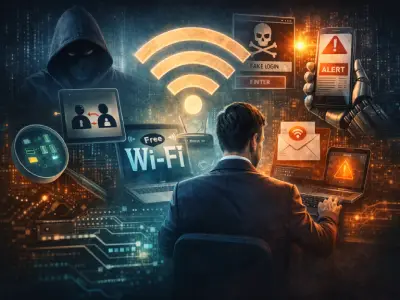
Despite Google investing billions of dollars in protection systems such as two-step verification and unusual activity detection, human and technical vulnerabilities remain an open door for hacking through:
- Phishing attacks: Fake messages impersonating Google to steal login credentials.
- Database leaks: Using information leaked from previous breaches to crack passwords.
- Malware: Installing Keyloggers via infected attachments to record every keystroke.
- Unsecured public Wi-Fi networks: Intercepting data as it travels over unencrypted connections.
Distress Signals: 5 Warning Signs Your Account Has Been Hacked
When your account becomes an operations ground for hackers, it begins sending clear warning signals, the most notable of which are:
1. Mysterious Changes in Security Settings
- Modified recovery information: Discovering that your phone number or backup email has been changed without your knowledge.
- Disabling two-step verification: Deactivating this critical feature to facilitate repeated access.
- Tampering with security questions: Changing their answers to monopolize the account recovery process.
2. Unfamiliar Activity in Login Records
Through the "Security Activity" page in your Google account, you can track logins from:
- Geographic locations you have never visited (such as Russia or China).
- Devices or browsers you do not own (such as old versions of Chrome).
- Unreasonable times (such as access at night while you are asleep).
3. Suspicious Emails Sent from Your Account
Automatic sending of messages containing:
- Shortened links or unknown attachments.
- Strange requests to your contacts (such as financial transfers or sharing sensitive data).
4. Sudden Loss of Access
- Account disabled by Google due to a violation of usage policies (resulting from the hacker's activities).
- Messages appearing indicating your password was changed without notifying you.
5. Indirect Indicators
- Unjustified increase in usage of cloud storage space (Google Drive).
- Unknown apps appearing in the "Connected Apps" section.
Proactive Steps: Don't Wait for Disaster!
- Check security settings weekly: Through Google's Security page.
- Enable two-step verification (2FA): Even if the hacker uses your password, they won't be able to log in without the phone code.
- Use unique passwords: Through tools such as Google Password Manager to avoid repetition.
- Review "Connected Apps": Revoke permissions for any suspicious apps.
4. Unusual Activities: When Your Account Becomes a "Crime Scene"! 🕵️♂️
Warning signs of hacking are not limited to security changes alone; strange activities may also appear in Google services linked to your account, such as:
- Disappearing emails: Deletion or movement of important messages (such as passwords or invoices) to the "Trash" folder.
- Suspicious videos on YouTube: Uploading promotional or offensive clips without your knowledge, or changing channel settings (such as subscriptions or comments).
- Mysterious documents in Google Drive: Appearance of files or sharing of documents with unknown parties.
- Sharing private photos via Google Photos: Your albums becoming accessible to people you have not authorized.
⚠️ Tip: Enable Activity Notifications for all Google services to monitor changes in real time!
5. Strange Financial Activity: When Your Account Becomes an "ATM" for Hackers! 💸
Financial hacking is the most dangerous form of attack, and its signs include:
- Unauthorized transactions via Google Pay: Transferring funds or purchasing electronic gift cards.
- Adding credit cards or bank accounts: Which hackers may use to fund fraudulent operations.
- Unjustified subscriptions in Google Play: Such as paid apps or subscription services.
📊 Shocking statistic: 34% of account breach victims suffer direct financial losses according to the Google Threat Intelligence report.
6. Google Security Alerts: Alarms That Must Not Be Ignored! 🚨
Google sends instant alerts when it detects any suspicious activity, such as:
- Login from an unknown country or device.
- Attempts to change the password or recovery settings.
- Unauthorized access to saved passwords.
🔑 Key solution: Enable the "Urgent Security Notifications" option through Security Settings to receive alerts via phone and email.
What to Do If You Discover Your Account Has Been Hacked? Immediate Rescue Steps! 🚑
1. Cut Off the Hacker's Connection Immediately
- Go to Login Activity and sign out of all active sessions (Sign out everywhere).
2. Regain Control of the Account
- Change the password to a complex passphrase (a mix of letters, numbers, and symbols).
- Enable two-step verification (2-Step Verification) using an app such as Google Authenticator instead of text messages.
3. Check Devices and Software
- Delete unknown apps from the Connected Apps section.
- Run an antivirus program (such as Malwarebytes) to detect malware.
4. Take Emergency Financial Measures
- Notify your bank to cancel any cards added without your permission.
- Review your account statement to detect and dispute fraudulent transactions.
5. Use Google's Recovery Tools
- Visit the Account Recovery page to reset settings and delete malicious data.
Prevention Is Better Than Cure: Turn Your Account into a "Fortified Castle"! 🛡️
- Unique passwords: Use a password manager (Bitwarden or 1Password) to avoid repetition.
- Regular backups: Save your important data outside the cloud (such as external hard drives).
- Automatic updates: Enable automatic updates for your operating system and browser.
- Beware of phishing: Do not click on shortened links or open attachments from unknown senders.
Don't Wait for Disaster!
Hacking a Google account is not merely stealing an email; it is a breach of your entire digital life. Be proactive: review your security settings now, and teach your family about these practices. Remember: an ounce of prevention is worth a pound of cure!
Finally: Security Is a Shared Responsibility
While Google provides advanced protection tools, users remain the first line of defense. Constant vigilance, regular checking, and swift response to warning signs are the only guarantee to transform your account from an "easy target" into an "impregnable fortress" in the digital world.
#google_security | #account_protection | #anti_hacking
#safe_technology | #no_to_cyberattacks
📢 Share the article: Your information might save someone from a digital disaster! 💻🔒