QR Codes: Opportunity and Risks in the Digital Age
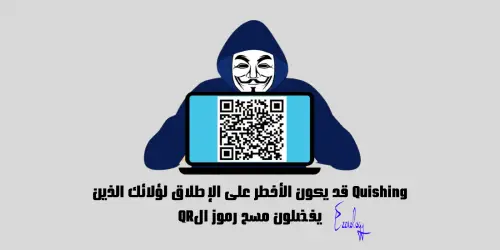
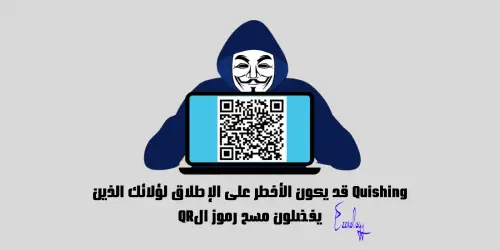
Quishing May Be the Most Dangerous of All for Those Who Prefer Scanning QR Codes
We now live in the age of digital speed, where QR Codes have become an integral part of our daily lives, serving as an easy and quick way to share information and access a wide variety of services. With this widespread adoption, these codes have become a new target for cybercriminals seeking to exploit them in carrying out their fraudulent schemes.
Major global banks such as Santander, HSBC, and TSB, along with regulatory bodies such as the UK's National Cyber Security Centre and the US Federal Trade Commission (FTC), are warning about the danger of this growing type of fraud.
The “Quishing” Threat: QR Code Fraud
The United Kingdom has recently witnessed a widespread surge of “Quishing” attacks, where criminals target car parks by placing fake QR code stickers over the genuine codes found in those car parks. People believe they are scanning the codes of the official parking apps, but in reality they are redirected to fake websites or apps run by fraudsters, leading to the theft of their sensitive data.
In this report, we will examine the new “Quishing” threat and reveal how cybercriminals exploit this technique to deceive users and gain access to their personal information. We will also provide tips to protect ourselves from this growing threat.
“Quishing”: A New Threat in the World of Cybersecurity
“Quishing” is a type of deception or phishing that uses QR codes as a means of attack. In this attack, attackers direct victims to fake websites or apps via scanning QR codes, with the aim of stealing sensitive information such as passwords, financial data, and personally identifiable information (PII). This information includes, but is not limited to, data such as email addresses, home addresses, phone numbers, and social security numbers.
Fraudsters use this information for multiple purposes, including identity theft, financial fraud, and ransomware.
Moreover, this type of attack may lead to malware being installed on your device. In more sophisticated cases, these attacks may target access to the two-factor authentication codes sent to your phone, which could enable attackers to compromise your personal accounts.
The Danger of “Quishing” Attacks and Bypassing Security Defenses
The danger of “Quishing” attacks lies in their ability to bypass traditional security defenses, such as email protection systems, which treat QR codes as harmless images.
Chester Wisniewski, senior advisor at Sophos, says: "What makes (Quishing) attacks attractive to criminals is that they bypass all cybersecurity training and also outsmart the products we offer."
Furthermore, many researchers and anti-fraud managers have pointed to the difficulty of estimating the exact costs of these cyberattacks that exploit QR codes hidden in attachments. This is due to the lack of unified standards among cybersecurity companies and banks for recording this type of attack, in addition to the fact that the emails used in these attacks are often part of larger and more complex attacks.
Rising Costs of Phishing Attacks and the Success of “Quishing” Methods
Research conducted by IBM revealed a notable increase in the costs of traditional phishing attacks, with the average cost of a corporate data breach resulting from these attacks rising by 10%, reaching 4.9 million US dollars in 2024.
How Does This Type of Fraud Succeed?
“Quishing” attacks begin with the arrival of an email that appears to come from a trusted source, such as a bank or a telecommunications company. This message contains a QR code and text urging the user to scan it to confirm their identity or update their account information.
Artificial intelligence, especially large language models, has made it easier to create highly credible phishing emails free of linguistic errors, making them more convincing and harder to detect. Attackers can now create 1,000 phishing emails in less than two hours at a cost not exceeding 10 dollars.
The main reasons for the success of “Quishing” attacks include the ease of carrying them out and users' complacency toward this technology. Many people have become accustomed to scanning QR codes for quick access to information and services, making them more vulnerable to deception, as they may scan any code they come across without hesitation or suspicion.
Anyone can create a QR code online using a range of freely available tools. And since all QR codes look similar in design, it is difficult to know what the code will ask of the device until it is scanned.
It is not limited to creating fake codes only, but extends to designing fake websites that mimic the original sites. These sites may contain requests for additional permissions on the phone or may attempt to install malware covertly.
How to Protect Ourselves from the “Quishing” Threat
Reports issued by McAfee last May indicate that more than 20% of online fraud cases in the United Kingdom are linked to QR codes. Data from the UK's national fraud and cybercrime reporting centre (Action Fraud) also confirms that reports of fraud using QR codes have more than doubled during the current year, highlighting the importance of exercising caution when dealing with these codes.
To avoid falling victim to fraud using QR codes, experts advise following these instructions:
- Verify the source before scanning: Always make sure that the QR code comes from a trusted source. If you are asked to approve any permissions when scanning the code, stop scanning immediately.
- Look for physical signs of tampering: When scanning QR codes in public places, watch for any signs indicating that the code has been tampered with, such as a fake code pasted over the genuine one.
- Do not grant permissions automatically: Check the prompts that appear on your phone while scanning the code. If the code initiates an unwanted action, be ready to close the browser or disconnect. If the app you opened after scanning the code requests access to unnecessary permissions, do not agree to it and it is preferable to delete the app from the phone.
- Check the URL before proceeding: After scanning the code, check the URL that appears to you. If it looks strange or contains spelling errors, do not click on it.
- Be careful in public places: Be extra cautious when scanning QR codes in public places such as airports and restaurants. Use them only when absolutely necessary after inspecting them for signs of tampering.
- Do not enter sensitive information: Avoid entering any personal or financial information on any website you reach by scanning a QR code, unless you are completely sure of the site's legitimacy.
- Turn off the NFC feature on your phone in public places: It is preferable to turn off the NFC feature when not in use, which helps protect your data from unwanted sharing between devices.
By following these tips, you can reduce the risks of exposure to fraud related to QR codes and protect your sensitive data.
And here, dear brothers and sisters, we have successfully completed the mission ✌
Do not forget our brothers in Palestine in your prayers📌
Please accept the greetings of the #Ezznology #Ezz_Tech team
You can also check out our store's products from here 👈#Our_Store 🌷or here
To join our family on the Telegram group from👈here
As well as the Facebook group, where we share information and help members, from👈here


Others were also interested in:
Ideas for online stores that, if implemented correctly, will achieve millions in sales
Things to beware of doing on WhatsApp to maintain security and privacy
Quishing May Be the Most Dangerous of All for Those Who Prefer Scanning QR Codes
For the first time, the Xiaomi 15 series with the Snapdragon 8 processor is worth owning
The feature of organizing WhatsApp messages according to separate lists
How to create your CV on Wikipedia
Ezznology عز التقنية
Writer at Ezznology عز التقنية — sharing the best tech articles and tutorials.
Rate this article
💬 Comments 0
No comments yet — be the first to comment!